TMUX Flash Copy
There is a popular neovim plugin called flash.nvim, which amongst other things, allows you to quickly jump to a word in your code. It’s a great tool for developers who want to quickly navigate their codebase.
I was looking for something similar, but for tmux. I wanted to be able to search visible words in the current tmux pane, then copy that word to the system clipboard by pressing the associated label key.
I built https://github.com/Kristijan/flash-copy.tmux, with the aim to bring that functionality to tmux.
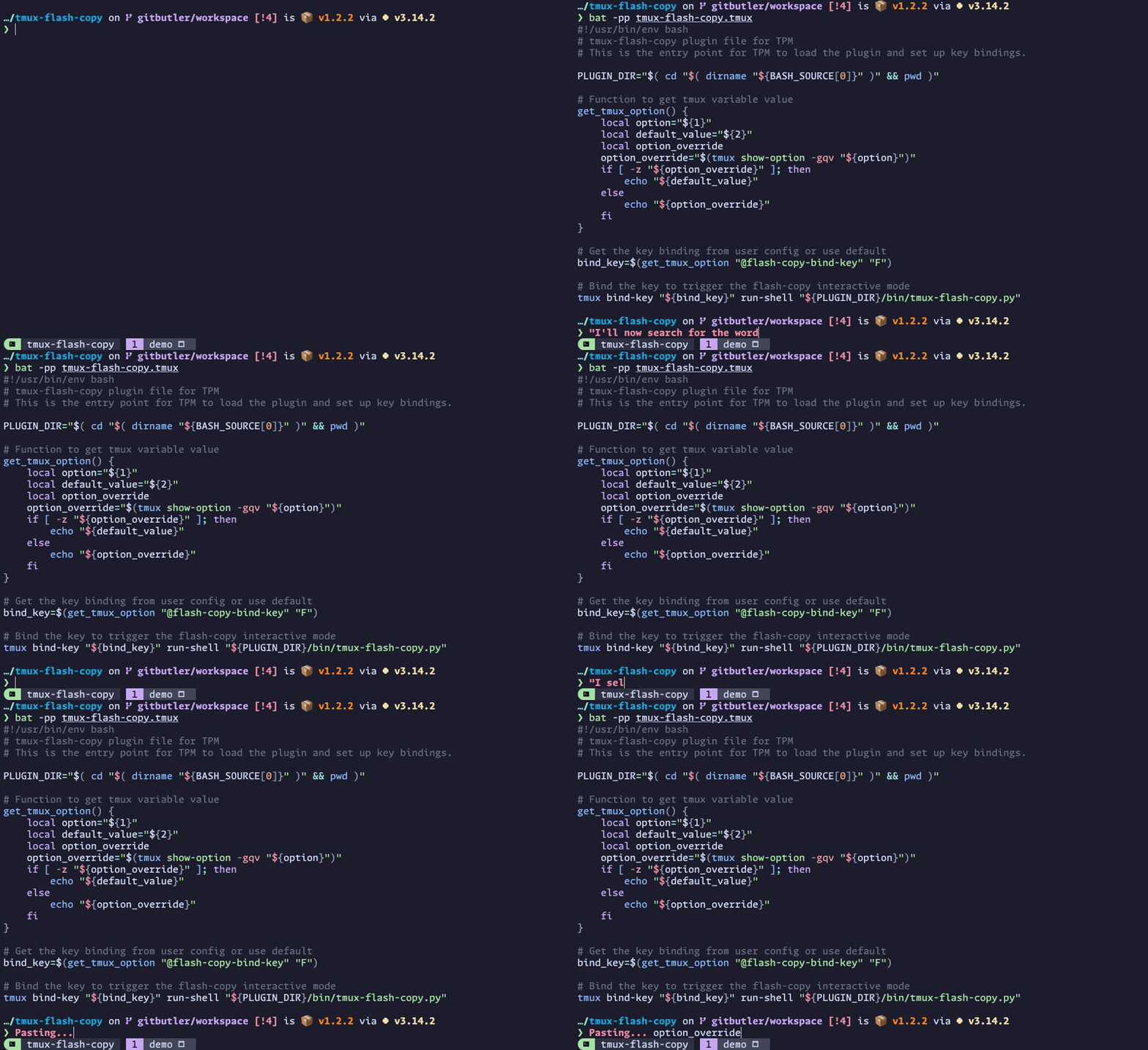
In the demonstration above, you can see how it works.
- I launch the TMUX Flash Copy plugin using the default key binding
<tmux prefix> Shift + f - The word
option_overrideis what I want to copy, so I start searching for it. You can see as I search, words are highlighted in the pane and labels are assigned with each match. - I press the label key
jassociated with the wordoption_override, and it’s copied to the system clipboard.
You can automatically paste the copied text by holding the semicolon
;modifier key while selecting the label.
I tried to implement as many of the visual features from flash.nvim as possible, and added a few of my own which made sense:
- Dynamic Search: Type to filter words in real-time as you search.
- Overlay Labels: Single key selection with labels overlayed on matches in the pane.
- Dimmed Display: Non-matching content is dimmed for visual focus.
- Clipboard Copy: Selected text is immediately copied to the system clipboard.
- Auto-paste Modifier: Use semicolon key as a modifier to automatically paste selected text.
- Configurable Word Boundaries: Honours tmux’s
word-separatorsby default, with override support.
There are many customisable options available, including:
- Customising the prompt position, indicator, and colour.
- Changing the colours used for highlighted matches and labels.
- Using either case sensitive or case insensitive searching.
You can find a lot more detail and configuration options in the README, and I welcome any feedback or contributions.